sudoku
Game Details
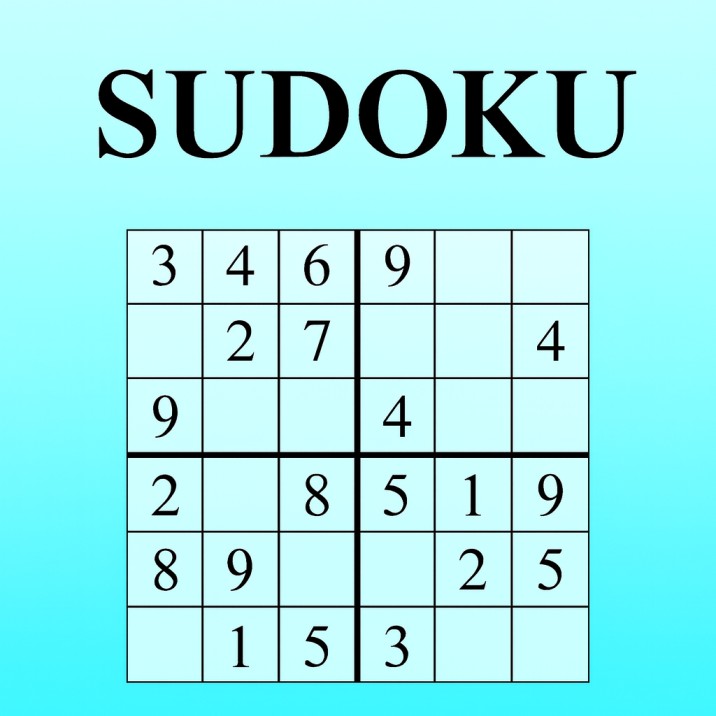
Sudoku is a classic logic puzzle where you fill a 9×9 grid so each row, column, and 3×3 box contains digits 1–9 without repetition. Start with a partially filled grid and use logic to complete it. Features multiple difficulty levels, flexible timers, helper functions, puzzle management, pause/resume, light/dark themes, real-time validation, and a clean interface. Test your logical reasoning skills with this timeless puzzle challenge.
Genre: Strategy
Category: Puzzle
Platform: Browser
HOW TO PLAY
CONTROLS:
- Desktop:
- Mouse Click on Empty Cell: Select cell to fill
- Mouse Click on Number (1-9): Place selected number in selected cell
- Mouse Click on Menu Button: Open game menu
- Mouse Click on Difficulty/Time Options: Choose settings
- Mouse Click on Helper Buttons: Use tips, solve, refresh, restart, pause, resume
- Mouse Click on Theme Toggle: Switch between light and dark themes
- Mobile/Tablet:
- Touch / Tap on Empty Cell: Select cell to fill
- Touch / Tap on Number (1-9): Place selected number in selected cell
- Touch / Tap on Menu Button: Open game menu
- Touch / Tap on Options: Choose difficulty, time, and helper functions
- Touch / Tap on Theme Toggle: Switch between themes
BASIC MECHANICS:
1. Sudoku Rules:
- 9×9 Grid: Puzzle consists of 81 cells arranged in 9 rows and 9 columns
- 3×3 Boxes: Grid divided into 9 boxes, each 3×3 cells
- Row Rule: Each row must contain digits 1-9 exactly once
- Column Rule: Each column must contain digits 1-9 exactly once
- Box Rule: Each 3×3 box must contain digits 1-9 exactly once
- Pre-filled Cells: Starting puzzle has some cells already filled (clues)
- Single Solution: Each puzzle has exactly one valid solution
2. Cell Selection:
- Click/Tap Empty Cell: Selects cell for number placement
- Selected Cell Highlight: Visual highlight shows selected cell
- Deselect: Click selected cell again to deselect
- Single Selection: Only one cell can be selected at a time
3. Number Selection:
- Number Container: Bottom panel shows digits 1-9
- Click Number: Selects number to place in selected cell
- Selected Number Highlight: Visual highlight shows selected number
- Deselect Number: Click selected number again to deselect
- Number Placement: Selected number placed when both cell and number selected
4. Number Placement:
- Place Number: Click cell then click number (or reverse order)
- Instant Validation: Number validated immediately upon placement
- Correct Placement: Number accepted if correct, cell updates
- Incorrect Placement: Number marked as incorrect (red highlight)
- Incorrect Auto-Deselect: Incorrect numbers auto-deselect after 500ms
5. Validation System:
- Real-time Validation: Checks correctness immediately
- Correct Indicator: Correct numbers remain, no error marking
- Incorrect Indicator: Red highlight for wrong numbers
- Solution Comparison: Compares against pre-computed solution
- Validation on Placement: Validates only when number placed
6. Visual Feedback:
- Matching Number Highlight: Highlights all cells with same number when number selected
- Selected Cell Highlight: Highlights currently selected cell
- Selected Number Highlight: Highlights currently selected number
- Incorrect Highlight: Red highlight for wrong entries
- Green Text: Numbers filled by "Show solution" appear in green
- Clear Highlights: Highlights clear when selection changes
7. Difficulty Levels:
- Easy: Pre-generated easy puzzles from test cases
- Medium: Pre-generated medium puzzles from test cases
- Hard: Pre-generated hard puzzles from test cases
- Very Hard: Dynamically generated very hard puzzles
- Difficulty Selection: Choose before starting new game
- Difficulty Indicator: Visual indicator shows selected difficulty
8. Time Modes:
- 3 Minute Countdown: Timer counts down from 3:00
- 5 Minute Countdown: Timer counts down from 5:00
- 10 Minute Countdown: Timer counts down from 10:00
- Stopwatch Mode: Timer counts up from 0:00
- Time Selection: Choose before starting new game
- Timer Display: Digital timer shows current time
9. Win Condition:
- Complete Grid: All 81 cells must be filled
- Valid Solution: All numbers must be correct
- Countdown Mode: Must complete before timer reaches 0:00
- Stopwatch Mode: Completing puzzle wins regardless of time
- Win Notification: "You won!🏆" message displayed
- Win Sound: Audio plays on win
- Win Alert: Alert dialog shows congratulations
10. Lose Condition:
- Time Expires: Countdown timer reaches 0:00 without completion
- Lose Notification: "You lost!☹️" message displayed
- Lose Sound: Audio plays on loss
- Lose Alert: Alert dialog shows time's up message
11. Tips System:
- Tips Button: Shows all possible values for each empty cell
- Candidate Display: Displays valid candidates for each cell
- Toast Notification: Tips displayed in toast popup
- 3 Second Display: Tips shown for 3 seconds
- Console Output: Tips also printed to console
- Candidate Calculation: Computes valid numbers per cell
12. Show Solution:
- Solve Button: Instantly fills entire puzzle with correct solution
- Green Text: Solution numbers appear in green color
- Auto-Pause: Automatically pauses game when solution shown
- Disables Helpers: Disables tips and solve buttons after showing solution
- Solution Alert: Prompts user to try again after showing solution
13. Solve One Step:
- One Step Button: Fills one empty cell with correct number
- Green Text: Solved cell appears in green
- Sequential Solving: Solves cells one at a time
- Help Feature: Provides progressive assistance
- Single Cell Focus: Fills next unsolved cell in sequence
14. Refresh Puzzle:
- Refresh Button: Generates new puzzle with same difficulty
- Same Difficulty: Maintains selected difficulty level
- New Puzzle: Completely new puzzle generated
- Resets Timer: Resets timer for new puzzle
- Preserves Settings: Keeps difficulty and time mode selections
15. Restart Puzzle:
- Restart Button: Clears all player entries, keeps original puzzle
- Original Puzzle: Restores puzzle to starting state
- Clears Attempts: Removes all numbers player placed
- Resets Timer: Resets timer to initial value
- Fresh Start: Allows retrying same puzzle
16. Pause System:
- Pause Button: Pauses game and timer
- Disables Selection: Prevents cell/number selection while paused
- Pause Alert: Shows "⏸️ PAUSED" message on screen
- Timer Pause: Stops countdown or stopwatch
- Helper Disable: Disables tips and solve buttons while paused
17. Resume System:
- Resume Button: Resumes game and timer from pause
- Enables Selection: Re-enables cell/number selection
- Timer Resume: Continues countdown or stopwatch
- Helper Enable: Re-enables tips and solve buttons
- Removes Alert: Hides pause message
18. Theme System:
- Theme Toggle: Switch between light and dark themes
- Light Theme: Light background with dark text
- Dark Theme: Dark background with light text (green digits)
- Toggle Button: Checkbox-style toggle in header
- Visual Indicator: Moon/sun icons show current theme
- Persists: Theme preference maintained during session
19. Grid Structure:
- 9 Rows: Horizontal lines of 9 cells each
- 9 Columns: Vertical lines of 9 cells each
- 9 Boxes: 3×3 sub-grids within main grid
- Border Styling: Visual borders separate boxes
- Right Border: Vertical lines between columns 3-4 and 6-7
- Bottom Border: Horizontal lines between rows 3-4 and 6-7
20. Puzzle Generation:
- Pre-generated Puzzles: Easy, Medium, Hard from test case files
- Dynamic Generation: Very Hard puzzles generated algorithmically
- Unique Solutions: All puzzles have exactly one valid solution
- Difficulty Scaling: More empty cells = harder difficulty
- Puzzle Validation: Generated puzzles verified for validity
21. Board State Management:
- Current Board: Tracks current puzzle state
- Solution Board: Pre-computed correct solution
- Input Board: Original starting puzzle
- State Updates: Board updates when numbers placed correctly
- Grid Conversion: Converts between string and grid formats
22. Cell States:
- Pre-filled: Cells with starting numbers (cannot be changed)
- Empty: Cells available for number placement
- Filled: Cells with player-placed numbers
- Correct: Cells with correct numbers
- Incorrect: Cells with wrong numbers (temporarily marked)
23. Audio System:
- Win Sound: Plays audio-win.wav on puzzle completion
- Lose Sound: Plays audio-lose.wav on time expiration
- Audio Feedback: Provides audio confirmation of game end
24. Menu System:
- Menu Button: Opens dropdown menu with options
- Difficulty Selection: Radio buttons for difficulty levels
- Time Selection: Radio buttons for time modes
- Helper Functions: Buttons for tips, solve, refresh, restart
- Pause/Resume: Buttons for game control
- Dropdown Close: Closes when clicking outside
25. Notification System:
- Snackbar Win: "You won!🏆" notification
- Snackbar Lose: "You lost!☹️" notification
- Toast Tips: Tips displayed in toast popup
- Alert Dialogs: System alerts for game end
- Auto-Hide: Notifications automatically hide after display
26. Progress Tracking:
- Completion Status: Tracks which cells are filled
- Validation Status: Tracks which cells are correct
- Timer Progress: Shows time remaining or elapsed
- Visual Progress: Grid fill progress visible
27. Helper Functions:
- Tips: Shows candidates for all empty cells
- Show Solution: Reveals complete solution
- Solve One Step: Fills next empty cell
- Refresh: Generates new puzzle
- Restart: Resets current puzzle
- All Disabled: Helpers disabled when game not active or paused
28. Input Methods:
- Click Selection: Click cell then click number
- Reverse Selection: Click number then click cell (both work)
- Single Selection: Only one cell and one number selected at a time
- Deselect: Click selected item again to deselect
- No Keyboard Input: Mouse/touch only (no keyboard number entry)
29. Validation Logic:
- Solution Comparison: Compares against pre-computed solution
- Immediate Check: Validates immediately on placement
- Correct Logic: Checks if placed number matches solution
- Row/Column/Box Check: Implicitly validated through solution match
- No Partial Validation: Only validates complete puzzle or individual placements
30. Game Flow:
- Start Game: Click "New game!" button
- Select Settings: Choose difficulty and time mode
- Load Puzzle: Puzzle loads with spinner indicator
- Play: Fill cells using click selection method
- Win/Lose: Complete puzzle or run out of time
- End Game: Game ends with notification and sound
- Restart Options: Can refresh, restart, or start new game
STRATEGIC TIPS:
- Start with Obvious Cells: Look for cells with only one possible number. Scan rows, columns, and boxes for single candidates.
- Eliminate Candidates: Use process of elimination. If a number appears in row/column/box, eliminate it from other cells in that region.
- Box-Row-Column Interaction: Use interactions between boxes and rows/columns. If number can only go in one row of a box, eliminate it from that row in other boxes.
- Pencil Marks Mentally: Think through possible candidates before placing. Tips button shows all candidates if needed.
- Focus on Boxes: Often easier to complete boxes first. Look for missing numbers within each 3×3 box.
- Look for Naked Singles: Cells with only one possible candidate are easiest to solve.
- Hidden Singles: Numbers that can only go in one cell of a row/column/box.
- Use Elimination: Eliminate impossible numbers systematically. Reduce candidates to find solutions.
- Pattern Recognition: Learn common Sudoku patterns. Patterns repeat across puzzles.
- Time Management: Manage time efficiently. Don't spend too long on difficult cells early.
ADVANCED TECHNIQUES:
- Advanced Patterns: Learn X-Wing, Swordfish, and other advanced techniques for harder puzzles.
- Candidate Analysis: Use Tips function to analyze all candidates. Plan moves based on candidate elimination.
- Box-Line Reduction: Use numbers that must be in specific rows/columns of boxes to eliminate candidates.
- Pointing Pairs: Identify pairs that point to specific cells in rows/columns, eliminating other candidates.
- Coloring Techniques: Use candidate coloring mentally to identify patterns and eliminations.
- Chain Logic: Build logical chains to eliminate candidates. Connect multiple cells through logical relationships.
- Multiple Solutions Check: Verify single solution property. Some techniques assume unique solution.
- Efficiency Optimization: Solve puzzles with minimal use of hints. Challenge yourself to solve without tips.
- Speed Solving: Practice pattern recognition for faster solving. Time yourself to improve speed.
- Very Hard Mastery: Master very hard puzzles without using solve functions. Ultimate challenge completion.
WINNING AND PROGRESSION:
- Puzzle Completion: Complete puzzles of increasing difficulty. Each completed puzzle is an achievement.
- Time Challenges: Complete puzzles within time limits. Beat time challenges for personal records.
- Difficulty Progression: Progress from Easy to Very Hard. Master each difficulty level.
- Speed Mastery: Improve solving speed over time. Faster completion demonstrates skill improvement.
- Perfect Solving: Complete puzzles without incorrect placements. Perfect solves show mastery.
- Helper Minimization: Solve puzzles with minimal use of tips and solve functions. Challenge yourself.
- Pattern Mastery: Master recognition of common Sudoku patterns. Pattern knowledge accelerates solving.
- Logical Reasoning: Develop logical reasoning skills. Sudoku improves critical thinking.
- Consistency: Maintain consistent solving performance. Regular practice improves consistency.
- Puzzle Collection: Solve many puzzles across all difficulties. Build extensive puzzle-solving experience.
Enjoy solving classic Sudoku puzzles and testing your logical reasoning skills!
This is a free browser game available on MysticByte Studios. No downloads required - play instantly in your browser!