tetris
Game Details
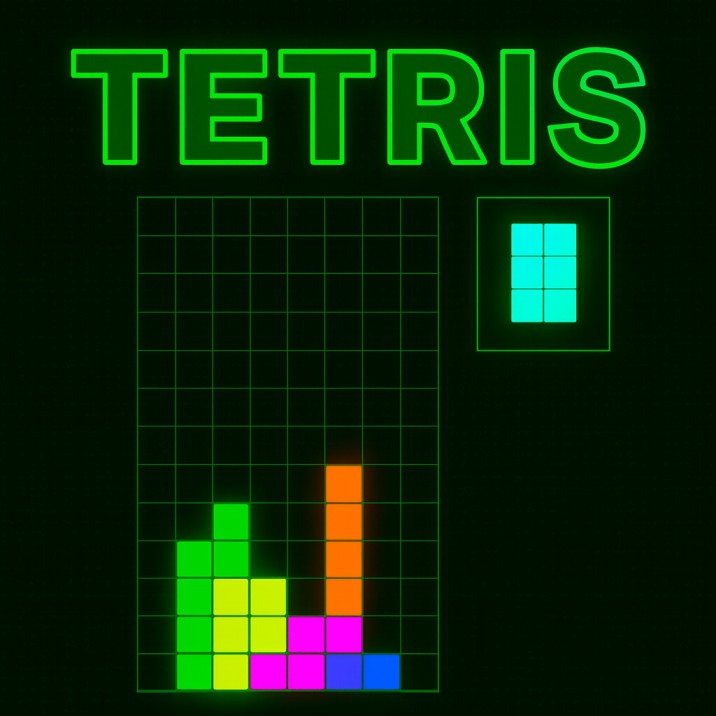
Tetris is the classic block-stacking puzzle where you arrange falling tetromino pieces to form complete horizontal lines that disappear and award points. Control seven different tetromino types, rotate and position them to create solid lines. Clear lines to score and progress through levels with increasing drop speed. Features customizable controls, hold/swap mechanics, T-spin bonuses, and combo scoring. Survive as long as possible for high scores.
Genre: Arcade
Category: Puzzle
Platform: Browser
HOW TO PLAY
CONTROLS:
- Desktop (Default):
- Left Arrow: Move piece left
- Right Arrow: Move piece right
- Down Arrow: Soft drop (piece falls faster while held)
- Z Key: Rotate piece counter-clockwise (left)
- X Key / Up Arrow: Rotate piece clockwise (right)
- SPACE Key: Hard drop (instantly drop piece to bottom)
- SHIFT Key / C Key: Hold/Swap piece (store current piece for later use)
- ESC Key: Pause game / Resume game
- Mouse Click: Click buttons in pause menu (Continue, Restart)
- Custom Controls:
- All controls are customizable through the Controls Options menu
- Click on control fields to reassign keys
- Auto-repeat timing adjustable (default: 50ms repeat, 200ms charge)
- Control settings saved in cookies
BASIC MECHANICS:
1. Tetromino Pieces:
- I-piece (Cyan): Straight 4-block line, uses special wall kick table
- O-piece (Yellow): 2x2 square, cannot rotate
- J-piece (Blue): L-shaped piece (corner with long left arm)
- L-piece (Orange): L-shaped piece (corner with long right arm)
- S-piece (Green): Zigzag shape (left-leaning)
- Z-piece (Red): Zigzag shape (right-leaning)
- T-piece (Purple): T-shaped piece, enables T-spins
2. Playfield:
- Grid: 10 columns wide, 20 rows tall
- Spawn position: Pieces spawn at top center (position varies by piece)
- Boundaries: Left (x=0) and right (x=9) boundaries
- Bottom boundary: Row 19 (y=19)
- Collision: Pieces cannot overlap existing blocks or leave playfield
3. Gravity System:
- Automatic falling: Pieces fall automatically based on level
- Drop period: Time between automatic drops decreases with level
- Level speeds: Level 1 (1000ms) to Level 15 (10ms)
- Gravity acceleration: Faster drop times at higher levels
- Bottom detection: Pieces stop when they cannot fall further
4. Movement:
- Left shift: Move piece one column left
- Right shift: Move piece one column right
- Auto-repeat: Movement keys repeat when held (configurable timing)
- Horizontal boundaries: Cannot move beyond left/right edges
- Collision checking: Movement blocked by existing blocks
5. Rotation:
- Clockwise rotation: X key or Up arrow (standard default)
- Counter-clockwise rotation: Z key (standard default)
- Rotation center: Pieces rotate around central point
- Wall kicks: System adjusts piece position when rotation blocked by wall
- Standard wall kicks: For J, L, S, Z, T pieces (5-test kick table)
- I-block wall kicks: Special kick table for I-piece (5-test kick table)
- Rotation rejection: Rotation fails if all kick positions are illegal
6. Soft Drop:
- Activation: Hold Down arrow key
- Effect: Piece falls faster while key held
- Scoring: Awards 1 point per cell dropped manually
- Auto-repeat: Activates immediately on press
- Speed: Faster than automatic gravity
- Cancellation: Stops when key released
7. Hard Drop:
- Activation: Press SPACE key
- Effect: Instantly drops piece to lowest possible position
- Scoring: Awards 2 points per cell dropped
- Instant lock: Piece locks immediately after hard drop
- No recovery: Cannot reposition after hard drop
8. Hold/Swap System:
- Activation: Press SHIFT or C key
- Function: Stores current piece and spawns next piece
- Hold limit: One swap per piece spawn (swapAllowed flag)
- Hold slot: Displayed when piece is held
- Swap mechanics: Can retrieve held piece on next swap
- Swap reset: Allowed again after new piece spawns
9. Lock System:
- Lock delay: 500ms (bottomLockTime) after piece touches bottom
- Lock timer: Counts down when piece is bottomed
- Slide count: Tracks horizontal movements while bottomed (max 15)
- Lock conditions: Piece locks when timer expires OR slide count reaches 15
- Lock reset: Timer resets on movement/rotation while bottomed
- Soft reset: Slide count increments on horizontal movement while bottomed
- Hard reset: Slide count resets to 0 on vertical movement/rotation
10. Line Clearing:
- Full line detection: Row with all 10 cells filled
- Multiple line detection: Checks all 20 rows simultaneously
- Line removal: All blocks in cleared rows are removed
- Block dropping: Blocks above cleared lines fall down
- Drop distance: Each block drops by number of cleared lines below it
- Cascade: Blocks fall to fill gaps after line removal
11. Scoring System:
- Single line: 100 points × level
- Double (2 lines): 300 points × level
- Triple (3 lines): 500 points × level
- Tetris (4 lines): 800 points × level (bonus)
- Soft drop: 1 point per cell
- Hard drop: 2 points per cell dropped
- Combo bonus: 50 points × combo count × level
- Back-to-back bonus: Multiplier for consecutive bonus clears
12. T-Spin System:
- T-spin detection: Detects when T-piece rotates into tight space
- Last was spin: Tracks if last action was rotation
- T-spin (no lines): 400 points × level
- T-spin mini: 100 points × level (no lines) or 200 points × level (1 line)
- T-spin single: 800 points × level (bonus)
- T-spin double: 1200 points × level (bonus)
- T-spin triple: 1600 points × level (bonus)
- T-spin detection: Checks if T-piece last rotated and fits tightly
13. Combo System:
- Combo counter: Increments on each line clear
- Combo bonus: 50 points × combo count × level
- Combo reset: Resets to -1 when no lines cleared
- Combo display: Shows "Combo xN" in ticker
- Combo contribution: Adds to lines cleared calculation
14. Back-to-Back System:
- Bonus detection: Tracks if last clear was bonus (Tetris or T-spin)
- Back-to-back bonus: Multiplies score by 1.5 when consecutive bonuses
- Back-to-back counter: Increments on consecutive bonus clears
- Back-to-back multiplier: Adds 0.5 × counter × base score
- Back-to-back reset: Resets when non-bonus clear occurs
- Display: Shows "Back-to-Back" in ticker when active
15. Level System:
- Starting level: Level 1
- Level progression: Advance by clearing lines (level × 5 lines per level)
- Maximum level: Level 15
- Drop periods: Level 1 (1000ms) to Level 15 (10ms)
- Lines per level: Level 1 = 5 lines, Level 2 = 10 lines, etc.
- Level display: Shows current level and lines remaining
- Game win: Achieved at level 15
16. Preview Queue:
- Queue size: 5 pieces shown ahead
- Random bag system: Ensures even distribution of all 7 pieces
- Preview display: Shows upcoming pieces on side
- Queue advancement: Updates when new piece spawns
- Bag mechanics: All 7 pieces appear before any repeats
- Visual preview: Shows shape and color of upcoming pieces
17. Random Bag System:
- Initial list: All 7 piece types (i, o, j, l, z, s, t)
- Bag refill: Refills when all pieces used
- Even distribution: Guarantees each piece appears before repeats
- Queue generation: Maintains queue of 5 upcoming pieces
- Random selection: Randomly picks from available pieces
- Fairness: Prevents piece droughts or floods
18. Piece Spawning:
- Spawn positions: Each piece has defined starting X/Y position
- I-piece spawn: X=5, Y=0
- O-piece spawn: X=5, Y=-1
- Other pieces: X=4, Y=-1
- Illegal start: Game over if spawn position is occupied
- New piece: Spawns when previous piece locks
19. Game Over:
- Condition: New piece cannot spawn (illegal start position)
- Game lost: When controlGroup.isIllegalStart is true
- Game won: When level 15 is reached
- End screen: Displays "GOOD GAME!!!", win/loss message, final score
- Auto-restart: Restarts after 6 seconds
- Results: Returns score, level, and win status
20. Pause System:
- Pause activation: Press ESC key
- Pause menu: Shows Continue and Restart buttons
- Time offset: Pauses game time tracking
- Resume: Press ESC again or click Continue button
- Restart: Click Restart button to start new game
- Mouse interaction: Click buttons to interact with pause menu
21. Wall Kick System:
- Purpose: Allows rotations near walls/obstacles
- Test positions: Tries multiple offset positions when rotation blocked
- Standard kicks: 5-test sequence for J, L, S, Z, T pieces
- I-block kicks: Special 5-test sequence for I-piece
- Clockwise kicks: Different offsets for CW rotation
- Counter-clockwise kicks: Different offsets for CCW rotation
- Success: First legal kick position is used
- Failure: Rotation rejected if all kicks illegal
22. Visual Display:
- Score output: Shows current score
- Lines output: Shows lines remaining for next level
- Level output: Shows current level
- Ticker output: Shows recent achievements (line clears, combos, bonuses)
- Preview blocks: Shows ghost/preview of piece placement
- Hold display: Shows held piece (if any)
- Queue display: Shows 5 upcoming pieces
23. Control Customization:
- Custom controls: Available through Controls Options menu
- Key assignment: Click control fields to assign new keys
- Saved settings: Controls saved in browser cookies
- Auto-repeat config: Adjustable repeat timing (15-300ms)
- Threshold config: Adjustable charge time before repeat (15-500ms)
- Default controls: Standard Tetris control scheme
- Control conflicts: Automatically swaps if key already assigned
24. Block Colors:
- I-piece: Cyan (cyanblock.png)
- O-piece: Yellow (yellowblock.png)
- J-piece: Blue (blueblock.png)
- L-piece: Orange (orangeblock.png)
- S-piece: Green (greenblock.png)
- Z-piece: Red (redblock.png)
- T-piece: Purple (purpleblock.png)
- Locked blocks: Grey (greyblock.png)
- Empty cells: Empty block (emptyblock.png)
25. Input Handling:
- Key prevention: Prevents default browser behavior for game keys
- Press detection: Detects key press events
- Auto-repeat: Supports configurable auto-repeat for movement
- Charge time: Configurable delay before repeat starts
- Repeat rate: Configurable time between repeats
- Multiple keys: Supports multiple keys per action
26. Preview Ghost:
- Ghost block: Shows where piece will land
- Preview blocks: 4 preview blocks show landing position
- Configuration: Updated by ControlGroup.configurePreviewBlocks()
- Visual aid: Helps plan piece placement
- Landing position: Shows lowest legal position
27. Ticker System:
- Achievement display: Shows recent line clears and bonuses
- Messages: "Single", "Double", "Triple", "TETRIS", "T Spin", etc.
- Combo display: Shows "Combo xN" messages
- Back-to-back: Shows "Back-to-Back" message
- Line limit: Ticker holds 5 lines
- Auto-scroll: Older messages scroll out
28. Score Calculation:
- Base score: Points from line clears, T-spins
- Level multiplier: All scores multiplied by current level
- Combo bonus: Additional points based on combo count
- Back-to-back: Additional multiplier for consecutive bonuses
- Drop bonuses: Points from soft drop and hard drop
- Total score: Sum of all scoring components
29. Game States:
- Setup: Initial game setup
- Playing: Active gameplay
- Paused: Game paused (ESC pressed)
- Game Over: Game ended (lost or won)
- First loop: Initial block spawn
- Time tracking: Tracks game time for gravity
30. Auto-Repeat Configuration:
- Repeat time: Time between repeated actions (default: 50ms)
- Charge time: Time before repeat starts (default: 200ms)
- Configurable range: 15-300ms (repeat), 15-500ms (charge)
- Saved settings: Stored in browser cookies
- Reset option: Restore default values
- Per-action: Applies to movement and soft drop
STRATEGIC TIPS:
- Line Building: Build multiple lines simultaneously. Tetris (4 lines) awards highest score.
- T-Spin Setup: Create T-spin opportunities. T-spins award significant bonus points.
- Hold Strategy: Use hold piece strategically. Save useful pieces for difficult situations.
- Preview Planning: Plan ahead using preview queue. Prepare for upcoming pieces.
- Combo Building: Build combos by clearing lines consecutively. Higher combos = more points.
- Back-to-Back: Chain Tetris or T-spins for back-to-back bonuses. Maintain bonus streaks.
- Soft Drop: Use soft drop for positioning. Awards points while maintaining control.
- Hard Drop: Use hard drop sparingly. Instant lock limits repositioning opportunities.
- Wall Kicks: Learn wall kick positions. Enables rotations near walls.
- Stack Management: Keep stack low and flat. Prevents game over and enables more options.
ADVANCED TECHNIQUES:
- T-Spin Setup: Master T-spin setups. Create tight T-piece rotations for bonus points.
- Combo Chains: Build long combo chains. Clear lines methodically to maintain combos.
- Stack Control: Maintain controlled stack height. Balance between scoring and safety.
- Hold Optimization: Optimize hold piece usage. Time swaps for maximum effectiveness.
- Preview Analysis: Analyze preview queue. Plan multiple moves ahead.
- Rotation Mastery: Master rotation techniques. Know when wall kicks will succeed.
- Speed Play: Practice high-speed gameplay. React quickly at higher levels.
- Efficient Drops: Use soft drop efficiently. Balance speed and control.
- Pattern Recognition: Recognize common piece sequences. Anticipate optimal placements.
- Risk Management: Balance risk and reward. Know when to play safe vs. aggressive.
WINNING AND PROGRESSION:
- Level Progression: Progress through levels 1-15 by clearing lines. Each level requires level × 5 lines cleared.
- Score Achievement: Achieve high scores through efficient line clears, T-spins, and combos. Compete for maximum points.
- Level 15 Victory: Win game by reaching level 15. Game declares victory at maximum level.
- Line Clear Mastery: Master all line clear types (Single, Double, Triple, Tetris). Different clears award different points.
- T-Spin Mastery: Master T-spin techniques. T-spins award significant bonus points.
- Combo Building: Build long combo chains. Higher combos demonstrate advanced skill.
- Back-to-Back Streaks: Maintain back-to-back bonus streaks. Chain Tetris and T-spins.
- Efficient Scoring: Maximize score per line cleared. Use bonuses and multipliers effectively.
- Speed Mastery: Master gameplay at maximum speed (level 15). High-speed expertise required.
- Perfect Games: Complete games without mistakes. Perfect play demonstrates mastery.
Enjoy playing the classic Tetris puzzle game and challenge yourself to reach higher levels and scores!
This is a free browser game available on MysticByte Studios. No downloads required - play instantly in your browser!