Precise Walker
Game Details
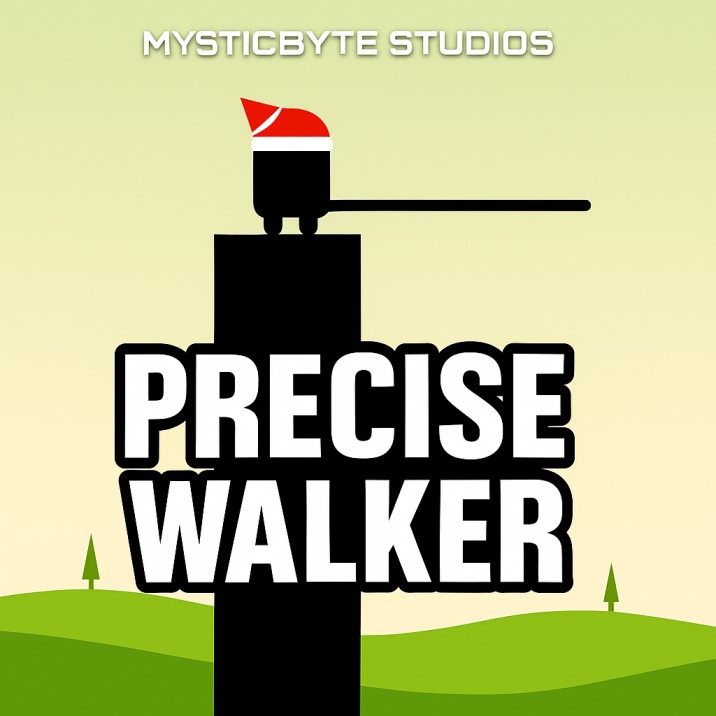
Precise Walker is a precision-based arcade game where you control a stick figure by stretching sticks to bridge gaps between platforms. Hold down to stretch the stick, release to stop and let it rotate into position. Your goal is to make the stick land perfectly on the next platform - hitting the center "perfect area" grants double points! Features progressive difficulty with increasing gaps, perfect hit mechanics, streak bonuses, distance tracking, achievement system, and high score leaderboard.
Genre: Precision
Category: Arcade
Platform: Browser
HOW TO PLAY
CONTROLS:
- Desktop:
- Mouse Click and Hold: Stretch the stick upward from the current platform
- Mouse Release: Stop stretching and rotate stick into position (90 degrees)
- Space Key: (Disabled - restart only via button)
- Fullscreen Button: Toggle fullscreen mode
- Mobile/Tablet:
- Touch and Hold: Stretch the stick upward
- Touch Release: Stop stretching and rotate stick into position
- Fullscreen Button: Toggle fullscreen mode
- Game Over Screen:
- Restart Button: Start a new game
- Share Button: Share your score via native share API or clipboard
BASIC MECHANICS:
1. Stretching Phase:
- Hold mouse/touch to stretch stick upward
- Stick extends from platform edge vertically
- Stretching speed: 4 milliseconds per pixel
- Stretching sound plays occasionally during stretch
- Stick grows continuously while held
2. Turning Phase:
- Release mouse/touch to stop stretching
- Stick rotates to 90 degrees (horizontal position)
- Turning speed: 4 milliseconds per degree
- Stick rotates clockwise until horizontal
- Must land on next platform to succeed
3. Platform Landing:
- Stick must reach next platform to land
- Landing detection: Stick end point hits platform
- Platform detection checks if stick end is within platform boundaries
- Landing on platform triggers walking phase
- Missing platform triggers falling phase
4. Perfect Hit System:
- Each platform has a "perfect area" in center (red square, 10 pixels wide)
- Perfect area visible before hero reaches platform
- Landing stick end in perfect area grants perfect hit
- Perfect hit: 2 points (double normal score)
- Normal hit: 1 point (stick lands on platform but not in perfect area)
- Perfect hit displays "PERFECT! DOUBLE SCORE" message
5. Walking Phase:
- After successful landing, hero walks along stick
- Walking speed: 4 milliseconds per pixel
- Hero moves from platform edge to stick end
- Footstep sounds play during walking (every 200ms)
- Hero stops at next platform edge if reached
6. Transitioning Phase:
- Hero transitions to next platform after reaching stick end
- Scene offset shifts to keep hero centered
- Transitioning speed: 2 milliseconds per pixel
- New stick prepared at next platform edge
- Phase changes to "waiting" after transition complete
7. Waiting Phase:
- Hero waits at platform edge
- New stick positioned at platform edge (length 0)
- Ready for next stretch input
- Click/touch to start next stretch
8. Falling Phase:
- Triggered when stick doesn't reach platform
- Hero continues past stick end and falls
- Stick continues rotating beyond 90 degrees (to 180 degrees)
- Falling speed: 2 milliseconds per pixel (vertical)
- Hero falls below screen bottom triggers game over
9. Platform Generation:
- Platforms generated procedurally
- Platform gap: 40 to 200 pixels (random)
- Platform width: 20 to 100 pixels (random)
- First platform fixed at position (x: 50, width: 50)
- New platforms generated as hero progresses
- Multiple platforms ahead always visible
10. Stick System:
- Sticks positioned at platform right edge
- Each stick has: x position, length, rotation
- Sticks rotate around platform edge point
- Multiple sticks can exist (after transitions)
- Stick rendering: Line stroke (width 2)
11. Scoring System:
- Normal hit: +1 point (stick lands on platform)
- Perfect hit: +2 points (stick lands in perfect area center)
- Score displayed in live stats
- Score tracked for high score
- Score affects achievements
12. Perfect Streak:
- Tracks consecutive perfect hits
- Perfect streak increases with each perfect hit
- Streak resets to 0 on normal hit or miss
- Perfect streak affects achievements
- Streak displayed in perfect hit notifications
13. Distance Tracking:
- Tracks total distance traveled
- Distance calculated from hero position
- Distance = (heroX + sceneOffset - 90) / 5 (rounded)
- Distance displayed in live stats
- Distance affects achievements
14. Time Tracking:
- Tracks play time from game start
- Time measured in milliseconds
- Time displayed in seconds in live stats
- Timer starts when "Click to Start Game" pressed
- Time affects achievements
15. Game Phases:
- Ready: Initial game state, shows instructions
- Waiting: Hero at platform edge, waiting for input
- Stretching: Stick being stretched (holding input)
- Turning: Stick rotating to horizontal position
- Walking: Hero walking along stick
- Transitioning: Scene shifting to next platform
- Falling: Hero falling after missing platform
- GameOver: Game ended, shows game over screen
16. Visual Effects:
- Screen shake on game over (intensity 15)
- Camera offset for shake effect
- Screen shake decays over time (multiplier 0.9)
- Smooth animations for all transitions
- Perfect hit visual notification
- Achievement popup notifications
17. Background System:
- Parallax scrolling background
- Background moves slower than hero (0.2x speed)
- Two hill layers with different properties
- Hill 1: Base height 100, amplitude 10, stretch 1
- Hill 2: Base height 70, amplitude 20, stretch 0.5
- Trees placed on hills (10 trees initially)
- Tree colors: 3 variations (#6D8821, #8FAC34, #98B333)
18. Tree Generation:
- Trees generated procedurally
- Tree gap: 30 to 150 pixels (random)
- Trees positioned on hill surfaces
- Trees use parallax scrolling
- New trees generated as scene progresses
19. Hero Character:
- Black stick figure with white eye
- Red band/hat on head
- Width: 17 pixels
- Height: 30 pixels
- Positioned at platform edge during waiting
- Rounded rectangle body with circular legs
20. Platform Rendering:
- Black rectangular platforms
- Platform height: 100 pixels
- Platforms extend to screen bottom
- Perfect area marked with red square
- Perfect area only visible before hero reaches platform
21. Sound System:
- Stretching sound: 200 Hz sine wave, 0.1s duration
- Perfect hit sound: Bell tone (800 Hz to 400 Hz), 0.3s duration
- Footsteps sound: Click (1000 Hz square wave), 0.05s duration
- Game over sound: Descending tone (400 Hz to 100 Hz), 1s duration
- AudioContext-based sound generation
- Sounds play at appropriate game events
22. Achievement System:
- First Perfect: Get first perfect stick hit
- Perfect Streak 5: Get 5 perfect sticks in a row
- Perfect Streak 10: Get 10 perfect sticks in a row
- Walker: Travel 100 units distance
- Marathon Runner: Travel 500 units distance
- Centurion: Reach 100 points
- High Scorer: Reach 500 points
- Dedicated Player: Play for 10 minutes
- Achievement notifications popup with icon and description
23. High Score System:
- High score saved to localStorage
- Key: "mysticbyte_stickwalker_highscore"
- High score persists between sessions
- High score displayed in live stats and game over screen
- High score updated when game ends
24. Leaderboard System:
- Daily high score tracking
- Weekly high score tracking
- Leaderboards stored in localStorage
- Date-based keys for daily/weekly tracking
- Separate tracking for different time periods
25. Share Functionality:
- Share button on game over screen
- Uses native Web Share API if available
- Fallback to clipboard copy if share unavailable
- Share text includes score and challenge message
- Share message: "I just scored X points in Precise Walker! Can you beat my score?"
26. UI Elements:
- Live stats panel: Score, Best, Distance, Time
- Perfect hit indicator: "PERFECT! DOUBLE SCORE" message
- Game over screen: Final score, best score, restart/share buttons
- Start game button: "Click to Start Game"
- Introduction text: Game title and instructions
- Fullscreen button: Toggle fullscreen mode
- MysticByte Studios logo
27. Fullscreen Support:
- Fullscreen button toggles fullscreen mode
- Canvas resizes to window dimensions
- Game adapts to fullscreen display
- Fullscreen API with fallback handling
28. Canvas Rendering:
- Canvas fills entire window
- Main game area: 375x375 pixels (centered)
- Scene offset for scrolling
- Context transformations for positioning
- Clear and redraw each frame
STRATEGIC TIPS:
- Perfect Hit Practice: Aim for the red perfect area in the center of platforms. Perfect hits double your score and build streaks.
- Timing Mastery: Learn to judge distances accurately. The longer you hold, the longer the stick - practice judging gap distances visually.
- Streak Building: Maintain perfect hit streaks for bonus achievements. Each perfect hit increases your streak counter.
- Gap Estimation: Study platform gaps before stretching. Larger gaps require longer sticks - time your stretches accordingly.
- Visual Reference: Use platform edges and perfect areas as reference points. The red perfect area helps judge stick length needed.
- Speed Control: Stretching speed is constant - focus on timing release rather than controlling stretch speed.
- Distance Management: Plan ahead for longer gaps. Some platforms may require maximum stick length.
- Falling Recovery: If you miss, use game over screen to restart quickly. Learn from each mistake to improve accuracy.
- Achievement Focus: Work toward specific achievements for goals. Achievements provide motivation and track progress.
- Pattern Recognition: Observe platform spacing patterns. While random, you can learn common gap sizes and adjust strategy.
ADVANCED TECHNIQUES:
- Perfect Area Precision: Master landing in perfect areas consistently. Perfect hits significantly boost score and enable streak bonuses.
- Distance Judging: Develop visual judgment for gap distances. Accurate distance estimation enables consistent perfect hits.
- Streak Maintenance: Maintain perfect streaks through careful timing. High streaks unlock achievements and maximize scoring.
- Release Timing: Master release timing for optimal stick length. Releasing too early or late prevents perfect hits.
- Platform Preparation: Prepare for next platform before reaching current edge. Quick transitions maintain flow and rhythm.
- Score Optimization: Prioritize perfect hits over speed. Double points from perfect hits outweigh faster completion.
- Visual Calibration: Calibrate visual judgment through practice. Experience improves distance estimation accuracy.
- Pattern Adaptation: Adapt to different gap and width combinations. Varied platform sizes require flexible strategy.
- Efficient Movement: Minimize time between successful crossings. Efficient movement maximizes score potential.
- Mastery Development: Practice consistently to develop muscle memory. Repetition improves precision and consistency.
WINNING AND PROGRESSION:
- Score Achievement: Maximize score through perfect hits and streaks. Higher scores unlock achievements and leaderboard positions.
- Perfect Streak Mastery: Achieve long perfect streaks (5, 10+). Streak achievements demonstrate precision mastery.
- Distance Milestones: Travel significant distances (100, 500+ units). Distance achievements track exploration progress.
- Score Milestones: Reach high score thresholds (100, 500+ points). Score achievements mark skill progression.
- Achievement Completion: Unlock all achievements through varied gameplay. Complete achievement collection demonstrates mastery.
- High Score Competition: Compete for high score records. Leaderboard competition motivates improvement.
- Daily/Weekly Challenges: Beat daily and weekly high scores. Time-based challenges provide recurring goals.
- Endurance Achievement: Play for extended periods (10+ minutes). Time-based achievement rewards dedication.
- Precision Mastery: Achieve consistent perfect hit accuracy. Precision mastery enables high scores and streaks.
- Continuous Improvement: Progress through repeated play sessions. Each game provides learning opportunities and skill development.
Enjoy mastering the precision stick walking mechanics and achieving high scores!
This is a free browser game available on MysticByte Studios. No downloads required - play instantly in your browser!