road blocks
Game Details
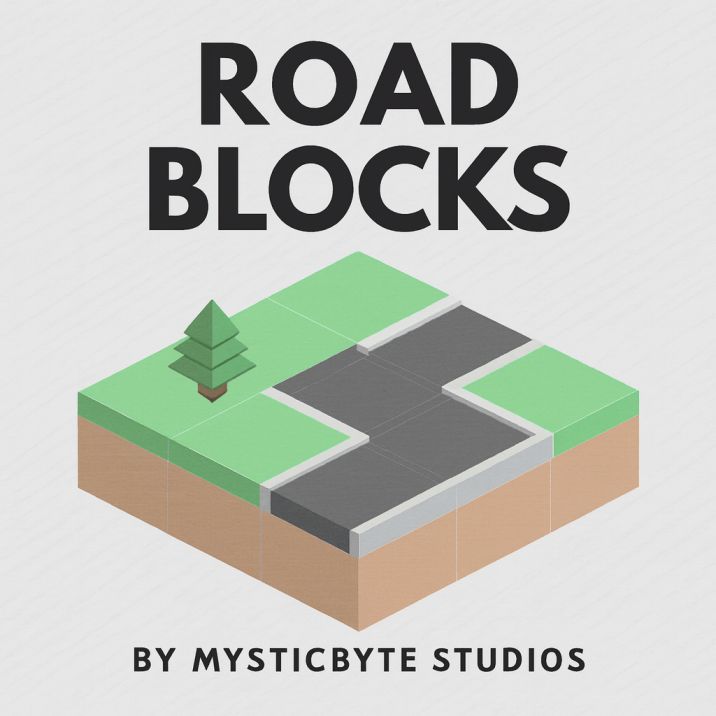
Road Blocks is an isometric puzzle game where you connect road tiles from one side of the map to another. Drag and drop road tiles onto the grid to create a continuous path connecting the start point to the destination. Place various road types (straight roads, turns, T-junctions) and special tiles (forests, helipads, water bridges) strategically. Features multiple game modes, level progression, scoring system, isometric 3D graphics, and challenging road connection puzzles.
Genre: Strategy
Category: Puzzle
Platform: Browser
HOW TO PLAY
CONTROLS:
- Desktop:
- Mouse Drag: Drag tiles from top bar and place on grid
- Mouse Click: Place selected tile on grid
- Mouse Move: Preview tile placement (shows ok/notok indicator)
- Long Press / Hold: Bulldoze/remove tiles (long press on placed tile)
- ESC Key: Close menu / Return to menu
- Mobile/Tablet:
- Touch Drag: Drag tiles from top bar and place on grid
- Touch Tap: Place selected tile on grid
- Touch Move: Preview tile placement
- Long Press: Bulldoze/remove tiles
- Touch on Water: Creates water splash effect (bloop sound)
BASIC MECHANICS:
1. Tile Placement:
- Drag tiles from top bar (tile queue) onto grid
- Tiles snap to grid positions
- Preview shows if placement is valid (ok indicator) or invalid (notok indicator)
- Valid placements: Tiles connect properly to adjacent tiles
- Invalid placements: Tiles don't connect or overlap incorrectly
- Click/tap to confirm placement
2. Path Finding:
- Create continuous path from start (left) to destination (right)
- Path must connect through all placed tiles
- Pathfinding algorithm checks connectivity
- Valid path = win condition
- No valid path = lose condition
3. Road Types:
- Straight Road (roady): Vertical road connecting top to bottom
- Horizontal Road (roadx): Horizontal road connecting left to right
- Cross Road (roadxy): Four-way intersection connecting all directions
- T-Junction Left (roadx2yl): T-junction with left branch
- T-Junction Right (roadx2yr): T-junction with right branch
- T-Junction Up (roady2xl): T-junction with upward branch
- T-Junction Down (roady2xr): T-junction with downward branch
- Each road type has specific connection points
4. Special Tiles:
- Forest (forest): Bonus tile that gives extra points when road passes through
- Helipad (helipad): Special tile that reverses tile order in queue
- Water (water): Water tile with animated wave effects
- Water Bridge Broad X (broadx): Bridge crossing water horizontally
- Water Bridge Broad Y (broady): Bridge crossing water vertically
- Grass: Base terrain tile
- Sand: Alternative base terrain tile
- Building: Decorative building tile
- Palm Tree (palm): Decorative palm tree on sand
5. Helipad System:
- Place tiles on helipad to store them in reverse order
- Click helipad with tile selected: Stores tile in helipad stack (reverse order)
- Click helipad to retrieve: Takes last stored tile from helipad
- Helipad allows reversing tile queue order
- Strategic use: Save tiles for later use in different order
6. Tile Queue:
- Tiles appear in queue at top of screen
- Queue shows next tiles to place (up to 4 visible)
- Tiles shift left when placed
- New tiles appear from right side
- Tile distribution determined by level
7. Bulldozer Feature:
- Long press (400ms) on placed tile to remove it
- Removes tile and replaces with base terrain
- Costs 15 points per bulldoze operation
- Sound effect: "boom"
- Visual feedback: Screen shake (rumble)
- Particle effects on destruction
8. Scoring System:
- Base points for placing roads
- Bonus points for roads passing through special tiles (forest, helipad)
- Points displayed: xe (road points) + ke (bonus points)
- Scoring: Te array tracks points per tile
- Bonus tile points: Different special tiles give different point values
- Floating score indicators show point gains
- Win bonus: Extra points for completing level
9. Win Condition:
- Path exists from start (predef[0]) to destination (predef[1])
- Pathfinding algorithm (function I) finds valid route
- All connection points must align correctly
- Win triggers: Victory sound, point bonuses, level completion
- Automatic progression to next level
10. Lose Condition:
- No valid path from start to destination
- Cannot place remaining tiles to create path
- Lose triggers: Error sound, failure message, retry option
11. Strict Mode:
- Some levels have strict validation
- Strict mode: Path must be valid after each road placement
- Prevents invalid road placements in strict levels
- Validates connectivity after each move
12. Tile Logic:
- Each tile has connection points (c property)
- Connection directions: 0=left, 1=up, 2=right, 3=down
- Tiles must connect matching sides
- Connection validation: q() function checks valid placements
- Invalid placements blocked with error sound
13. Predefined Tiles:
- Levels have predefined tiles already placed
- Predefined tiles: predef array specifies positions
- Cannot modify predefined tiles
- Predefined tiles form level starting structure
14. Tile Distribution:
- Each level has specific tile distribution
- Distribution: dist array specifies tile types available
- Limited tiles per level
- Strategic tile usage required
15. Isometric Grid:
- Game uses isometric projection (3D appearance)
- Grid coordinates: [x, y] for tile positions
- Isometric rendering: g() function converts grid to screen coordinates
- Tile size: V (scaled based on screen size)
- Perspective: Top-down isometric view
16. Camera System:
- Camera can pan (he array stores offset)
- Camera follows tile preview
- Camera adjusts to screen size
- Responsive to window resizing
17. Tile Preview:
- Shows selected tile following cursor/touch
- Preview offset: ue (40 pixels for touch)
- Preview shows at cursor/touch position
- Ok/Notok indicator shows placement validity
18. Visual Feedback:
- Ok indicator: Green checkmark when placement valid
- Notok indicator: Red X when placement invalid
- Screen shake on bulldoze operations
- Particle effects on tile placement
- Floating score numbers
- Water animation effects
- Tile placement animations
19. Sound Effects:
- Select: Tile selection sound
- Place: Tile placement sound
- Ping: Score gain sound
- Dialog: Dialog/modal sound
- Win: Victory sound
- Boom: Bulldoze sound
- Error: Invalid placement sound
- Thud: Tile drop sound
- Bloop: Water interaction sound
20. Game Modes:
- Puzzle Mode: Preset levels with specific goals
- Free Map Mode: Unlocked after completing "Bulldozer Beach" level
- Free Map: Create custom maps with all tile types
- Free Map: Access tile palette for placement
21. Level Progression:
- Puzzle Mode: 5+ levels (Roads 101, Town planning, Reverse the flow, The Block Forest, Bulldozer Beach, Palm Island, Loopy Lagoon, Mini Monaco, Dual Carriageway, Little condo by the sea)
- Levels unlock sequentially
- Level completion tracked in localStorage
- Completion required to unlock next level
- Final level completion unlocks Free Map mode
22. Level Names:
- Level 1: "Roads 101" - Tutorial level (left to right)
- Level 2: "Town planning" - Full tile set available
- Level 3: "Reverse the flow" - Introduces helipad mechanics
- Level 4: "The Block Forest" - Introduces bonus points from special tiles
- Level 5: "★ Bulldozer Beach" - Introduces bulldozer feature, unlocks Free Map
- Level 6: "Palm Island"
- Level 7: "Loopy Lagoon"
- Level 8: "Mini Monaco"
- Level 9: "Dual Carriageway"
- Level 10: "Little condo by the sea"
23. Menu System:
- Main menu: Choose Puzzle or Free Map mode
- Puzzle menu: Select puzzle level
- In-game menu: Home (return to menu), Screenshot, Restart
- ESC key closes menus
- Menu buttons: 🏠 (Home), 📷 (Screenshot), ♻ (Restart)
24. Screenshot Feature:
- Screenshot button captures current game state
- Downloads screenshot as PNG file
- Pauses rendering during screenshot capture
- Useful for sharing solutions
25. Restart Feature:
- Restart button resets current level
- Destroys current game instance
- Reloads level from beginning
- Clears all placed tiles
26. Tile Storage:
- Level progress saved to localStorage
- Completion state persisted: "Puzzle" + level number
- Free Map unlock saved
- Settings preserved between sessions
27. Rendering System:
- Canvas-based rendering with isometric projection
- 3D cube drawing for tiles
- Multiple canvas layers
- Smooth animations (60fps target)
- Responsive to screen size
- Tile caching for performance
28. Touch Optimization:
- Touch offset (40px) prevents accidental tile selection
- Touch event handling optimized for mobile
- Long press detection for bulldozer
- Swipe support for tile dragging
29. Grid System:
- Grid dimensions: w (width) x h (height) tiles
- Grid stored in ze array (2D array)
- Each grid cell contains tile type
- Base terrain fills empty cells
30. Path Validation:
- Pathfinding: I() function finds route between points
- Recursive pathfinding algorithm
- Checks all possible routes
- Returns win path or lose state
- Validates connections at each step
STRATEGIC TIPS:
- Plan Ahead: Look at your tile queue and plan placement order. Some tiles are more valuable than others.
- Use Helipad Strategically: Save important tiles in helipad when you need them later. Helipad reverses order, so plan accordingly.
- Minimize Bulldozer Use: Each bulldoze costs 15 points. Try to place tiles correctly the first time.
- Bonus Points: Plan routes through forests and special tiles to maximize bonus points.
- Connection Points: Understand tile connection points. Not all tiles connect to all adjacent tiles.
- Preview Placements: Use preview to check validity before placing. Ok indicator shows valid placements.
- Path Planning: Think about the entire path before placing tiles. One wrong tile can block the entire route.
- Tile Conservation: Don't waste tiles. Use each tile efficiently to maximize score.
- Special Tiles: Use special tiles (forests, helipads) strategically. They provide bonuses and utility.
- Grid Awareness: Consider the entire grid layout, not just immediate placement. Think about future tile placements.
ADVANCED TECHNIQUES:
- Helipad Stacking: Master helipad mechanics to reverse tile order. Store multiple tiles to reorder queue.
- Optimal Pathfinding: Find shortest path solutions to minimize tile usage and maximize efficiency.
- Bonus Maximization: Plan routes to pass through maximum bonus tiles for highest scores.
- Bulldozer Timing: Use bulldozer only when necessary. Strategic removal can save more points than it costs.
- Tile Rotation Strategy: Understand tile types and plan rotations. Some tiles are direction-specific.
- Pattern Recognition: Recognize common puzzle patterns. Similar layouts appear across levels.
- Connection Mastery: Master tile connection rules. Know which tiles connect to which sides.
- Grid Analysis: Analyze grid layout before placing tiles. Identify optimal placement locations.
- Queue Management: Manage tile queue effectively. Use helipad to reorder when needed.
- Efficiency Optimization: Solve puzzles with minimal tile usage. Efficiency demonstrates mastery.
WINNING AND PROGRESSION:
- Level Completion: Complete each puzzle level to unlock next challenge. Progressive difficulty increases.
- Score Achievement: Maximize scores by using bonus tiles and minimizing mistakes. Higher scores demonstrate skill.
- Free Map Unlock: Complete "Bulldozer Beach" to unlock Free Map mode. Free Map allows creative building.
- Level Mastery: Master all puzzle levels. Complete collection demonstrates puzzle-solving expertise.
- Efficient Solutions: Find optimal solutions using minimal tiles. Efficiency optimization shows mastery.
- Bonus Point Maximization: Maximize bonus points through strategic routing. High bonus scores show skill.
- Puzzle Collection: Complete entire puzzle collection. Full completion represents ultimate achievement.
- Free Map Creativity: Use Free Map mode to create custom road layouts. Creative expression adds replayability.
- Skill Development: Develop tile placement skills through practice. Skills improve with each level completed.
- Challenge Completion: Complete all challenges and unlock all content. Full completion represents mastery achievement.
Enjoy building roads and solving isometric puzzle challenges in Road Blocks!
This is a free browser game available on MysticByte Studios. No downloads required - play instantly in your browser!