tower master
Game Details
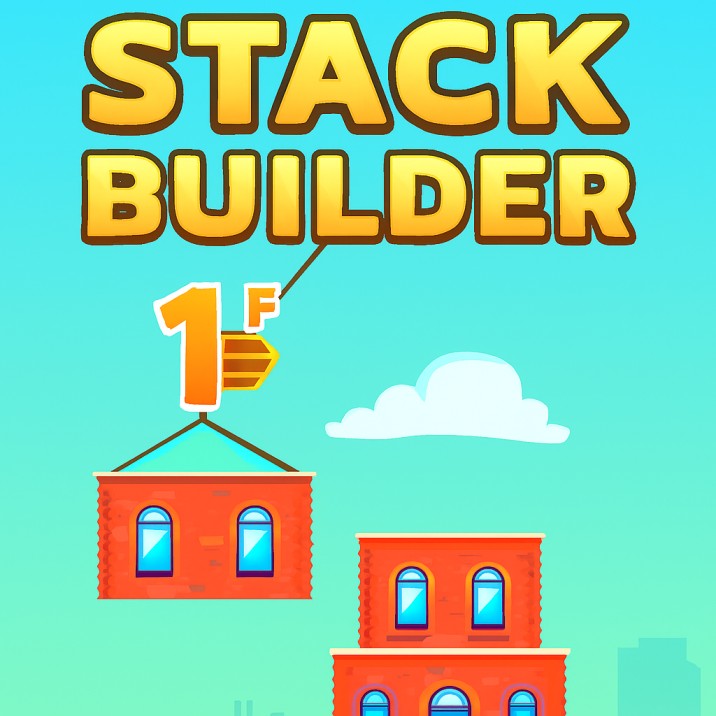
Tower Master is a precision stacking game where you drop blocks from a swinging hook to build the tallest tower possible. Control blocks suspended on a rope, time your drops to stack blocks perfectly, and aim for perfect alignment to earn bonus points. Features progressive difficulty with increasing swing speeds, physics-based mechanics, collision detection for perfect alignment, and special visual effects at milestone floors. Build the highest tower by mastering timing and precision.
Genre: Precision
Category: Arcade
Platform: Browser
HOW TO PLAY
CONTROLS:
- Desktop:
- Mouse Click / Left Mouse Button: Drop current swinging block
- ENTER Key: Toggle pause (debug mode only)
- Mouse Click (Start Button): Start new game
- Mouse Click (Try Again Button): Restart game after game over
- Mobile/Tablet:
- Touch / Tap: Drop current swinging block
- Touch (Start Button): Start new game
- Touch (Try Again Button): Restart game after game over
BASIC MECHANICS:
1. Block Swinging:
- Hook system: Blocks hang from a hook on a rope
- Swing motion: Blocks swing back and forth like a pendulum
- Swing speed: Varies based on floor count (increases with difficulty)
- Rope length: 40% of screen height (adjustable in hard mode)
- Hook position: Top center of screen
- Swing angle: Progressive angles (30° early, 60° mid, 80° late game)
2. Block Drop:
- Drop activation: Click/touch while block is swinging
- Drop timing: Must drop when hook is in normal position (not moving up/down)
- Hook movement: Hook moves up after drop command
- Block release: Block detaches from rope and falls
- Physics: Block falls with gravity acceleration
- Free fall: Block continues falling until collision or screen exit
3. Collision Detection:
- Base line: Blocks stack on a horizontal line that moves down
- Landing zones: Different outcomes based on where block lands
- Miss (out): Block misses line entirely = failure (loses 1 HP)
- Rotate left: Block lands too far left, rotates off left edge
- Rotate right: Block lands too far right, rotates off right edge
- Success: Block lands on line (between left and right edges)
- Perfect: Block lands within ±10% of center = perfect alignment
4. Perfect Alignment:
- Perfect zone: Block center within 80%-120% of line center
- Perfect bonus: Awards 50 points (base) instead of 25
- Consecutive perfects: Each perfect after first adds +25 points
- Perfect streak: Perfect count resets on non-perfect success
- Perfect visual: Block displays "block-perfect" sprite
- Perfect sound: Special "drop-perfect" audio plays
5. Scoring System:
- Success score: 25 points per successful stack (default)
- Perfect score: 50 points for perfect alignment (default)
- Consecutive bonus: +25 points per consecutive perfect
- Score calculation: Success + (Perfect × PerfectCount)
- Example: 1st perfect = 50, 2nd = 75, 3rd = 100, 4th = 125, etc.
- Score display: Yellow gradient text with white stroke
6. Lives System:
- Starting lives: 3 HP
- Life loss: Block fails to stack = -1 HP
- Failure conditions: Block falls off screen, misses line, rotates off edge
- Game over: Lives reach 0 (failedCount >= 3)
- Life display: Heart icons shown in UI
- Game over screen: Shows final score and "Try Again" button
7. Block States:
- Swing state: Block swinging on rope (initial state)
- Before drop: Transition state after drop command
- Drop state: Block falling through air
- Land state: Block successfully stacked on line
- Rotate left: Block rotating off left edge
- Rotate right: Block rotating off right edge
- Out state: Block exited screen (failed)
- State transitions: Swing → Before drop → Drop → Land/Rotate/Out
8. Block Rotation:
- Rotation trigger: Block lands partially off line edge
- Left rotation: Block lands too far left, rotates counter-clockwise
- Right rotation: Block lands too far right, rotates clockwise
- Rotation physics: Block pivots around contact point
- Rotation speed: π × 4 radians per frame
- Fall trigger: Rotation exceeds ±1.3 radians (75°) causes fast fall
- Out detection: Block top-right corner exits screen (left), or bottom exits (right)
9. Line System:
- Base line: Horizontal line where blocks stack
- Line position: Starts at initial offset, moves down after each stack
- Line width: Matches block width
- Line collision: Left edge (line.x) and right edge (line.collisionX)
- Line update: Moves to top of newly placed block
- Line anchor: Anchors to left edge of placed block
10. Tower Building:
- Stack progression: Each successful stack = 1 floor
- Floor count: Tracked in successCount variable
- Tower height: Success count × block height
- Visual progression: Tower grows upward as blocks stack
- Move down: Entire tower moves down after each successful stack
- Move speed: Faster after floor 4 (1.25× vs 1.0× block height)
11. Progressive Difficulty:
- Swing angle progression:
- Floors 0-9: 30° swing angle
- Floors 10-19: 60° swing angle
- Floors 20+: 80° swing angle
- Swing speed progression:
- Floor 0: Slow swing (hard = 0)
- Floors 1-9: Normal swing (hard = 1)
- Floors 10-19: Faster swing (hard = 0.8)
- Floors 20-29: Even faster (hard = 0.7)
- Floors 30+: Very fast (hard = 0.74)
- Landing sway speed:
- Floors 0-4: No sway (hard = 0)
- Floors 5-12: Slow sway (hard = 0.001)
- Floors 13-22: Medium sway (hard = 0.002)
- Floors 23+: Fast sway (hard = 0.003)
12. Hard Mode:
- Activation: Block placement exceeds left/right 1/3 screen boundary
- Detection: Block x-position < -30% width or > width + 30% width
- Effects: Maximum swing angle (90°), faster swing speed (hard = 1.1)
- Rope height: Random 35%-55% of screen height per block
- Challenge: Increased difficulty makes stacking harder
- Permanent: Hard mode persists for rest of game
13. Special Events:
- Floor 10: Lightning movement animation (150ms)
- Floor 15: Lightning movement animation (150ms)
- Lightning effect: Visual flash when reaching milestone floors
- Background movement: Initial background animation on game start (500ms)
14. Block Sway (Land State):
- Sway motion: Landed blocks sway left/right (cosine oscillation)
- Sway speed: Increases with floor count
- Sway amplitude: Based on screen width and difficulty level
- Visual effect: Creates illusion of instability
- Physics: Cosmetic only, doesn't affect collision
15. Block Dimensions:
- Block width: 25% of screen width
- Block height: 71% of block width (aspect ratio maintained)
- Rope height: 40% of screen height (adjustable in hard mode)
- Collision width: Matches block width
- Block spacing: Blocks stack directly on top of each other
16. Physics System:
- Gravity: 0.0003 × screen height pixels per frame²
- Free fall: Blocks accelerate downward when dropped
- Velocity accumulation: Velocity increases with gravity
- Rotation physics: Pivots around contact point
- Friction: None applied (blocks fall cleanly)
17. Visual Effects:
- Perfect block sprite: Special image for perfect placements
- Block rope sprite: Shows block attached to rope during swing
- Rotation animation: Smooth rotation when block pivots
- Lightning effect: Visual flash at floors 10 and 15
- Background scrolling: Parallax background movement
- Cloud animation: Multiple clouds in background layers
18. Sound System:
- Background music: BGM plays during gameplay (bgm.mp3)
- Drop sound: Plays on successful stack (drop.mp3)
- Perfect sound: Plays on perfect alignment (drop-perfect.mp3)
- Rotate sound: Plays when block starts rotating (rotate.mp3)
- Game over sound: Plays when lives depleted (game-over.mp3)
- Sound toggle: Configurable via soundOn option
- Auto-play prevention: BGM starts after user interaction
19. Tutorial System:
- Tutorial display: Shows "Click to drop" text initially
- Tutorial arrow: Shows down arrow indicator
- Tutorial removal: Disappears after first drop
- Tutorial timing: Only shows when hook is in normal position
- Tutorial animation: Arrow bounces up and down
20. Game States:
- Loading: Asset loading screen with progress bar
- Landing: Start screen with "Come on, Build a Tower!" and start button
- Playing: Active gameplay with blocks swinging and stacking
- Game Over: End screen showing score and "Try Again" button
- State transitions: Loading → Landing → Playing → Game Over → Playing (restart)
21. UI Elements:
- Score display: Yellow gradient text showing current score
- Lives display: Heart icons showing remaining HP
- Start button: Red button with "▶ Start Game" text
- Try again button: Blue button with "Try Again" text
- Game over modal: Modal overlay with score and restart option
- Loading progress: Percentage and progress bar during asset load
22. Touch/Click Detection:
- Touch handler: touchEventHandler function processes input
- Hook status check: Only drops when hook is in normal position
- Game start check: Only processes drops after game starts
- Pause check: Ignores drops when game paused (debug mode)
- Block status check: Only drops blocks in swing state
23. Block Generation:
- Block spawning: New block created when previous lands
- Block naming: Named "block_{blockCount}"
- Block count: Increments with each new block
- Spawn position: Above screen (ropeHeight × -1.5)
- Spawn timing: Immediate when previous block lands
- Spawn state: Starts in swing state
24. Cloud System:
- Cloud layers: 4 cloud instances in background
- Cloud sprites: 8 different cloud images (c1-c8)
- Cloud animation: Clouds move across screen
- Cloud positioning: Staggered initial positions
- Cloud count: Each cloud has different count parameter
25. Background System:
- Background image: Static background image
- Background scrolling: Moves during gameplay
- Background offset: Tracks vertical scroll position
- Parallax effect: Multiple layers scroll at different speeds
- Linear gradient: Additional gradient overlay effect
26. Flight Layer:
- Flight sprites: 7 different flight images (f1-f7)
- Flight layer: Separate rendering layer for flight elements
- Layer swapping: Flight layer swapped with background layer
- Visual depth: Creates layered visual effect
27. Score Hooks:
- setGameScore: Callback function for score updates
- setGameSuccess: Callback function for success count updates
- setGameFailed: Callback function for failure count updates
- Custom integration: Allows external score tracking
- Real-time updates: Called whenever score changes
28. Game Customization:
- Success score: Configurable points per success (default: 25)
- Perfect score: Configurable bonus per perfect (default: 25)
- Hook speed: Custom function for swing speed calculation
- Hook angle: Custom function for swing angle calculation
- Land block speed: Custom function for sway speed calculation
- Option object: Passed to game initialization
29. Animation System:
- Time movements: Coordinated animations with duration
- Movement interpolation: Smooth transitions between values
- Animation names: Named animations for synchronization
- Hook movements: Up and down movement animations
- Background movements: Initial scroll animations
- Tutorial movements: Fade-in animations
30. Game Over Conditions:
- Lives depleted: Failed count reaches 3
- Score display: Final score shown in game over modal
- Modal display: Game over screen appears
- Audio stop: Background music pauses
- Game over sound: Plays completion sound
- Restart option: "Try Again" button available
STRATEGIC TIPS:
- Perfect Timing: Watch the swing pattern. Drop when block is centered above the line for perfect placement.
- Swing Observation: Learn the swing rhythm. Each floor increases swing speed and angle - adapt your timing.
- Perfect Streaks: Build perfect streaks for maximum points. Each consecutive perfect adds +25 bonus points.
- Early Precision: Aim for perfects early. Easier angles and speeds make early perfects more achievable.
- Sway Awareness: Account for block sway on landed blocks. Sway increases with floor count.
- Hard Mode Avoidance: Keep blocks within screen boundaries. Hard mode dramatically increases difficulty.
- Progressive Adaptation: Adjust timing as difficulty increases. Swing angles and speeds change at floors 10 and 20.
- Rhythm Mastery: Develop consistent drop rhythm. Muscle memory helps with timing precision.
- Center Focus: Always aim for center alignment. Perfect zone is ±10% of center - precise but achievable.
- Floor Milestones: Prepare for difficulty spikes at floors 10 and 15. Lightning effects signal transitions.
ADVANCED TECHNIQUES:
- Perfect Chain Mastery: Maintain perfect streaks. Long chains maximize score per floor.
- Swing Prediction: Predict swing trajectory. Anticipate where block will be at drop moment.
- Hard Mode Mastery: Learn to play in hard mode. Random rope heights require greater adaptability.
- High Floor Strategy: Focus on survival at high floors. Fast swings and wide angles challenge precision.
- Score Optimization: Balance speed vs. perfection. Fast drops allow more floors, perfects maximize points.
- Rhythm Consistency: Develop consistent drop rhythm. Reliable timing improves success rate.
- Visual Cues: Use visual landmarks. Line position and block alignment aid timing.
- Angle Reading: Read swing angles accurately. Different angles require different timing.
- Edge Case Mastery: Practice edge cases. Near-miss rotations teach boundary awareness.
- Endurance Building: Build tower height endurance. Higher towers require sustained precision.
WINNING AND PROGRESSION:
- Score Achievement: Achieve highest possible score. Points determine ranking and success.
- Floor Milestones: Reach floor 10 and 15 for special effects. Lightning animations mark achievements.
- Perfect Streaks: Build longest perfect chains. Consecutive perfects demonstrate mastery.
- Tower Height: Build tallest possible tower. Height demonstrates stacking skill.
- No-Fail Runs: Complete games without failures. Perfect games show exceptional skill.
- High Score Challenge: Beat previous high scores. Continuous improvement goal.
- Floor 20+: Reach high floors (20, 30, 40+). Extreme difficulty mastery.
- Perfect Ratio: Maximize perfect-to-success ratio. Higher ratio = better precision.
- Hard Mode Survival: Survive hard mode activation. Ultimate difficulty challenge.
- Consistency Mastery: Maintain consistent performance. Reliable stacking demonstrates skill.
Enjoy building your tower to the sky and mastering the art of precision stacking!
This is a free browser game available on MysticByte Studios. No downloads required - play instantly in your browser!