Minesweeper
Game Details
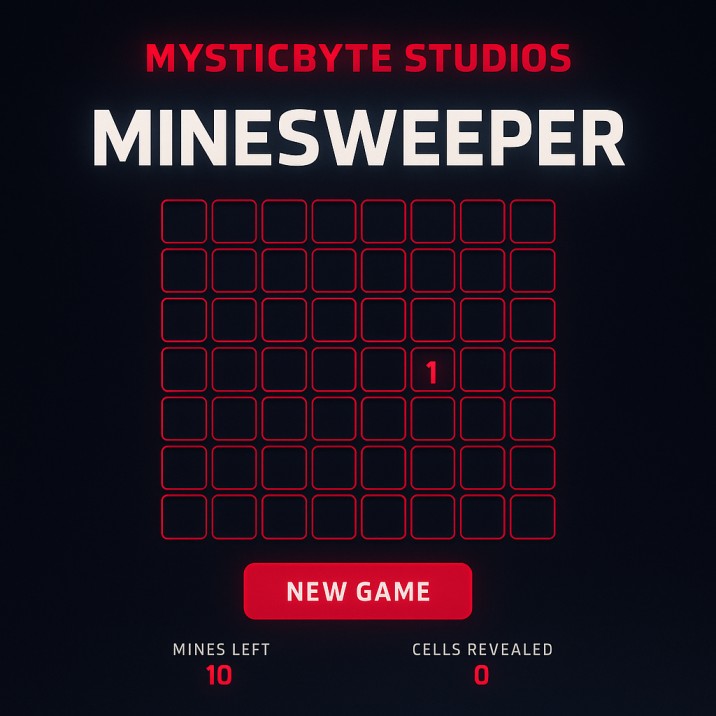
Minesweeper is a classic logic puzzle game where you reveal cells on a grid while avoiding hidden mines. Click cells to reveal them - numbers show how many mines are adjacent. Use logic and deduction to identify safe cells and mark mine locations. Customize grid size and mine count for any difficulty level. Reveal all non-mine cells to win, but clicking a mine ends the game. Features customizable board dimensions (1-50 rows/columns), adjustable mine count (1-250), automatic flood-fill reveal for empty cells, timer tracking, statistics display, victory/loss conditions, and modern visual design with neon effects and animations.
Genre: Strategy
Category: Puzzle
Platform: Browser
HOW TO PLAY
CONTROLS:
- Desktop:
- Mouse Click / Left Mouse Button: Reveal cell, click on hidden cell to uncover it
- Click "New Game" Button: Start a new game with current settings
- Input Fields: Adjust rows (1-50), columns (1-50), and mines (1-250) before starting new game
- Mobile/Tablet:
- Touch / Tap: Same as mouse click - tap cells to reveal, tap buttons and inputs to interact
BASIC MECHANICS:
1. Cell Revealing:
- Click any hidden cell to reveal it
- Hidden cells have dark background with neon border
- Revealed cells show different background color
- First click determines game start and mine placement
- Clicking a mine immediately ends the game
2. Number System:
- Revealed cells show numbers (1-8) indicating adjacent mines
- Numbers colored differently for visual distinction:
- Number 1: Cyan (#00BFFF) with glow effect
- Number 2: Green (#00FF00) with glow effect
- Number 3: Red (#FF003C) with glow effect
- Number 4: Gold (#FFD700) with glow effect
- Number 5: Orange (#FF4500) with glow effect
- Number 6: Purple (#8A2BE2) with glow effect
- Number 7: Green-yellow (#ADFF2F) with glow effect
- Number 8: White (#FFFFFF) with glow effect
- Numbers help identify mine locations through logic
3. Mine Detection:
- Numbers count mines in 8 adjacent cells (including diagonals)
- Use numbers to deduce mine positions
- Combine multiple numbers to solve safe cells
- Logic and pattern recognition essential for success
4. Flood Fill Mechanism:
- Revealing a cell with 0 adjacent mines triggers automatic reveal
- All adjacent cells with 0 mines automatically revealed
- Cascade continues until bordered by numbered cells
- Speeds up gameplay by revealing safe areas automatically
5. Grid System:
- Customizable grid size: rows (1-50) and columns (1-50)
- Default: 10 rows x 10 columns
- Grid displayed as HTML table with styled cells
- Cells sized dynamically (default 40px, mobile 28px)
- Border spacing between cells for clarity
6. Mine Placement:
- Mines placed randomly using Fisher-Yates shuffle algorithm
- Mine count adjustable (1-250 mines)
- Default: 10 mines
- Mines cannot be placed on first clicked cell (game ensures safe start)
- Mine positions generated at game start
7. Victory Condition:
- Win by revealing all non-mine cells
- Victory calculated: remaining cells = 0 (total cells - mines - revealed cells)
- Victory screen shows congratulations message
- Victory displays time taken and cells cleared
8. Game Over Condition:
- Game over when clicking a mine
- All mines revealed when game over occurs
- Mine cells display bomb emoji (💣) with explosion animation
- Game over overlay displays with loss message
9. Timer System:
- Timer starts when game begins (first cell click)
- Timer increments every second
- Timer displayed in Orbitron font with red neon styling
- Timer stops when game ends (victory or game over)
- Timer reset to 0 when starting new game
10. Statistics Display:
- Mines Left: Shows total mine count (doesn't decrease, shows total)
- Cells Revealed: Shows count of revealed cells
- Statistics updated in real-time as cells revealed
- Statistics help track progress toward victory
11. Customizable Settings:
- Rows input: Adjust number of rows (1-50 range)
- Columns input: Adjust number of columns (1-50 range)
- Mines input: Adjust number of mines (1-250 range)
- Settings applied when "New Game" button clicked
- Custom settings allow difficulty customization
12. Visual States:
- Hidden cells: Dark gradient background, neon red border, hover effects
- Revealed cells: Darker background, blue border, number display
- Mine cells: Dark background when hidden, red gradient when revealed
- Hover effects: Cells brighten and glow on mouse hover
13. Mine Explosion Animation:
- Explosion animation when mine clicked
- Scale animation from 1.1 to 1.6 and back
- Red glow effects with multiple shadow layers
- Bomb emoji displayed with pulsing animation
- Explosion draws attention to game over
14. Game Over Overlay:
- Full-screen overlay when game ends
- Dark background with blur effect
- Game over content box with border and glow
- Victory message: "🎉 VICTORY!" with congratulations
- Loss message: "💥 GAME OVER" with condolence
- "Play Again" button to restart game
15. Cell Adjacency:
- Cells check 8 adjacent neighbors (including diagonals)
- Up, down, left, right, and four diagonal directions
- Boundary checking prevents out-of-bounds errors
- Adjacency crucial for mine counting
16. Game State Management:
- Game over flag prevents further cell clicks
- Revealed array tracks revealed cell positions
- Mines array stores mine positions
- State reset when new game starts
17. Responsive Design:
- Mobile-friendly with smaller cell sizes (28px on mobile)
- Flexible layout adapts to screen size
- Controls stack vertically on mobile
- Game board centered and responsive
18. Visual Effects:
- Neon glow effects on borders and text
- Gradient backgrounds for depth
- Text shadows for readability
- Smooth transitions on hover
- Backdrop blur effects for modern look
19. Color Coding:
- Number colors help distinguish values quickly
- Color progression from cyan (1) to white (8)
- Glow effects enhance number visibility
- Consistent color scheme throughout
20. Board Regeneration:
- Board regenerated on "New Game" button click
- Old table removed and new one created
- Cells recreated with fresh event handlers
- Complete reset ensures clean game state
STRATEGIC TIPS:
- Start with Safe Areas: Begin by clicking cells in corners or edges. These areas have fewer adjacent cells, making logic easier.
- Number Analysis: Use numbers to identify mine locations. If a cell shows "1" and has one unrevealed neighbor, that neighbor is a mine.
- Pattern Recognition: Learn common patterns. Cells with same numbers often form patterns indicating mine positions.
- Double-Check Logic: Verify deductions by checking numbers from multiple angles. Cross-reference adjacent numbers for accuracy.
- Flood Fill Utilization: Use automatic reveal effectively. Clicking cells with 0 mines reveals large safe areas quickly.
- Edge Strategy: Work from edges inward. Edges have fewer adjacent cells, making deduction simpler.
- Corner Advantage: Corners have only 3 adjacent cells, making them easier to solve. Use corners to gain initial information.
- Mine Counting: Keep mental count of remaining mines. This helps identify when all mines are located.
- Safe Cell Identification: Identify cells that must be safe based on surrounding numbers. Logic deduction is key to success.
- Chain Reactions: Plan moves that trigger flood fills. Revealing large areas quickly speeds up gameplay.
ADVANCED TECHNIQUES:
- Probability Analysis: When multiple solutions exist, analyze probabilities. Cells with lower mine probability are safer to click.
- Flag Pattern Recognition: While game doesn't have flags, mentally mark suspected mines. Use number patterns to identify likely mine locations.
- Grid Sectioning: Divide board into sections mentally. Solve each section systematically rather than randomly clicking.
- Number Combination: Combine information from multiple numbered cells. Overlapping numbers reveal mine positions.
- Empty Area Expansion: Use flood fill to maximum advantage. Clicking edge of revealed area with 0 mines expands safe zone.
- Logical Deduction Chains: Build deduction chains from known information. Each revealed number provides clues for adjacent areas.
- Mine Elimination: Eliminate possible mine positions through logic. When certain cells can't be mines, adjacent cells become safer.
- Boundary Logic: Use board boundaries effectively. Edge and corner cells have fewer adjacent cells, simplifying deduction.
- Time Management: Balance speed with accuracy. Faster completion improves, but wrong clicks end game immediately.
- Advanced Patterns: Learn complex patterns like "1-2-1" formations and "T-junctions." Pattern recognition speeds up solving.
WINNING AND PROGRESSION:
- Victory Achievement: Reveal all non-mine cells to win. Complete board clearance demonstrates logic mastery.
- Time Optimization: Complete games in faster times. Timer tracks performance for improvement tracking.
- Difficulty Scaling: Increase grid size and mine count gradually. Larger boards and more mines increase challenge.
- Perfect Games: Complete games without clicking any mines. Perfect games demonstrate consistent logic skills.
- Pattern Mastery: Recognize and solve patterns quickly. Pattern recognition enables faster completion.
- Custom Challenge: Set extreme difficulty (large board, many mines). Custom challenges test limits of logic skills.
- Statistics Improvement: Improve statistics over time. Track cells revealed and completion times for progress monitoring.
- Logical Thinking Development: Develop deductive reasoning skills. Game improves pattern recognition and logical thinking.
- Speed Solving: Balance accuracy with speed. Faster completions require both logic and quick thinking.
- Mastery Achievement: Master game through consistent practice. Advanced players solve large boards efficiently and quickly.
Enjoy solving the minefield puzzle in Minesweeper and test your logic skills!
This is a free browser game available on MysticByte Studios. No downloads required - play instantly in your browser!