Wordle
Game Details
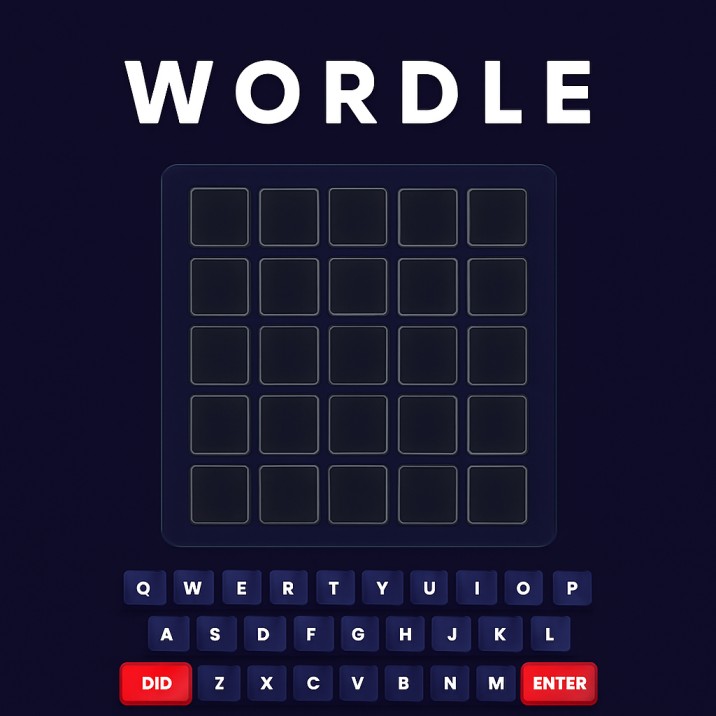
Wordle is a classic word guessing game where you have six attempts to guess a hidden 5-letter word. Enter guesses and receive color-coded feedback: green for correct letters in the right position, yellow for letters in the word but wrong position, and grey for letters not in the word. Use this feedback to narrow down possibilities and solve the puzzle. Features a clean interface with keyboard support and flip animations. Each day presents a new word challenge, testing your vocabulary and deductive reasoning skills.
Genre: Puzzle
Category: Educational
Platform: Browser
HOW TO PLAY
CONTROLS:
- Desktop:
- A-Z Keys (Physical Keyboard): Type letters to enter your guess
- ENTER Key: Submit your guess
- BACKSPACE / DELETE Key: Delete the last entered letter
- Mouse Click (On-screen Keyboard): Click letter buttons to enter letters
- Mouse Click (Del Button): Delete the last entered letter
- Mouse Click (Enter Button): Submit your guess
- Mouse Click (Info Button): Open "How to Play" guide
- Mouse Click (Restart Button): Start a new game (with confirmation)
- Mobile/Tablet:
- Touch / Tap (On-screen Keyboard): Tap letter buttons to enter letters
- Touch (Del Button): Delete the last entered letter
- Touch (Enter Button): Submit your guess
- Touch (Info Button): Open "How to Play" guide
- Touch (Restart Button): Start a new game (with confirmation)
BASIC MECHANICS:
1. Word Structure:
- Each word is exactly 5 letters long
- Word is selected randomly from a large word list
- Each game features a different word
- Words are common English words
- Word list contains thousands of valid 5-letter words
2. Guess Entry:
- Enter letters one at a time (up to 5 letters)
- Letters appear in the current row from left to right
- Maximum 5 letters per guess
- Cannot enter more than 5 letters in a single guess
- Letters are entered in the active row (from top to bottom)
3. Guess Submission:
- Submit your guess by pressing Enter or clicking Enter button
- Guess must contain exactly 5 letters to submit
- Only valid words from the word list are accepted
- Invalid words show an error message and cannot be submitted
- Submission locks in your guess and reveals feedback
4. Color Feedback System:
- Green (Correct Position): Letter is in the word AND in the correct position
- Yellow (Wrong Position): Letter is in the word BUT in the wrong position
- Grey (Not in Word): Letter is NOT in the word at all
- Feedback applies to each individual letter in your guess
- Colors help you deduce the correct word
5. Letter Position Logic:
- Same letter can appear multiple times in a word
- If you guess a duplicate letter correctly, each instance shows appropriate feedback
- Yellow letters indicate the letter exists but needs repositioning
- Green letters are confirmed in their correct positions
- Grey letters can be eliminated from future guesses
6. Guess Limit:
- You have exactly 6 guesses to solve the word
- Each guess uses one attempt
- Guesses remaining decreases after each submission
- Game ends after 6 guesses regardless of outcome
- No way to regain or add more guesses
7. Keyboard Color Tracking:
- On-screen keyboard buttons change color based on letter feedback
- Green keys: Letter confirmed in correct position (best status)
- Yellow keys: Letter confirmed in word but wrong position
- Grey keys: Letter confirmed not in word
- Keyboard colors persist and update as you play
- Color priority: Green overrides yellow, yellow overrides grey
8. Visual Feedback:
- Letter boxes flip with animation when feedback is revealed
- Staggered flip animation for visual appeal
- Color change happens after flip animation
- Smooth transitions and visual polish
- Filled boxes show entered letters clearly
9. Word Validation:
- Only words from the official word list are accepted
- Invalid words show "Word not in list!" error
- Prevents submission of nonsensical letter combinations
- Ensures all guesses are valid English words
- Validation occurs when you attempt to submit
10. Game States:
- Active: Game is in progress, guesses remaining
- Won: Successfully guessed the word
- Lost: Ran out of guesses without solving the word
- Game over state prevents further guessing
- Reveals the correct word if you lose
11. Restart Functionality:
- Restart button starts a completely new game
- Confirmation modal prevents accidental restarts
- Resets all game state: guesses, keyboard colors, board
- Selects a new random word from the word list
- Clears all previous progress
12. Help System:
- "How to Play" button opens instructional modal
- Modal explains the color feedback system
- Shows visual examples of correct, present, and absent letters
- Includes rules and gameplay instructions
- Modal can be closed and reopened anytime
13. Toast Notifications:
- Success toast when you win: "You guessed right! Game over!"
- Error toast for invalid words: "Word not in list!"
- Error toast for incomplete guesses: "Not enough letters!"
- Info toast when you lose: Shows the correct word
- Toasts auto-dismiss after a few seconds
14. Game Board:
- 6 rows for 6 guesses
- Each row contains 5 letter boxes
- Boxes fill left to right as you type
- Current active row is the one being filled
- Completed rows show color feedback after submission
15. Scoring and Progression:
- No explicit scoring system
- Goal is to solve the word in as few guesses as possible
- Fewer guesses indicate better performance
- Daily challenge format (new word each game)
- Track personal bests (fewest guesses for solving)
STRATEGIC TIPS:
- Start with Common Letters: Begin with words containing common letters like E, A, R, I, O, T, N, S. These appear frequently and reveal word structure quickly.
- Use Vowels Early: Include multiple vowels in your first guess. Vowels are essential for word structure and help eliminate possibilities.
- Strategic First Guess: Choose a starting word with diverse letters. Avoid words with repeated letters in your first guess to maximize information gathering.
- Analyze Green Letters: Green letters are confirmed correct. Use them in the same position in subsequent guesses and build around them.
- Yellow Letter Strategy: Yellow letters must be moved to different positions. Try them in every possible remaining position systematically.
- Eliminate Grey Letters: Once a letter is grey, avoid using it in future guesses. Focus on remaining possibilities.
- Position Testing: When you have yellow letters, methodically test different positions. This narrows down the correct placement.
- Pattern Recognition: Look for common word patterns and endings. English words often follow predictable structures (-ING, -ED, etc.).
- Letter Frequency: Consider letter frequency in English. Common letters are more likely to appear in the solution.
- Process of Elimination: As you gather information, eliminate letter combinations that don't fit the feedback pattern.
- Double Letter Consideration: Remember that words can contain duplicate letters. If you see a letter once, it might appear twice.
- Systematic Approach: Work through possibilities systematically rather than guessing randomly. Use feedback to inform each guess.
ADVANCED TECHNIQUES:
- Optimal Starting Words: Research and memorize strong starting words that maximize information. Words with common letters but diverse positions are ideal.
- Hard Mode Strategy: While not enforced, challenge yourself to use all revealed information. Green letters must stay in place, yellow letters must be reused.
- Letter Position Analysis: Track which positions you've tested for yellow letters. Eliminate positions that didn't work to narrow possibilities.
- Word Pattern Matching: Recognize common word structures (prefixes, suffixes, letter combinations). Use this knowledge to guess efficiently.
- Frequency Analysis: Learn letter frequencies in 5-letter words specifically. Common 5-letter word endings and beginnings inform guesses.
- Elimination Grids: Mentally track which letters are confirmed absent, which positions are wrong, and which are correct. Build a mental elimination map.
- Logical Deduction: Use pure logic when you have multiple green or yellow letters. Sometimes only one word fits the pattern.
- Position Testing Sequence: When testing yellow letters, test them in positions systematically. Start with most likely positions based on word patterns.
- Vowel Placement: Understand common vowel patterns in English words. Certain vowels tend to appear in specific positions.
- Consonant Clusters: Recognize common consonant combinations (TH, CH, SH, ST, etc.). These help when you have partial information.
- End Game Strategy: When you're down to your last guesses, focus on words that fit all known constraints. Don't guess randomly—be methodical.
- Word List Familiarity: Familiarize yourself with common 5-letter words. Recognition helps when patterns emerge.
WINNING AND PROGRESSION:
- Victory Condition: Successfully guess the hidden word within 6 attempts. Victory occurs when your submitted guess exactly matches the target word.
- Loss Condition: Run out of 6 guesses without solving the word. The game reveals the correct word when you lose.
- Optimal Performance: Solve the word in the fewest guesses possible. Perfect game is solving in 1 guess (extremely rare), but 2-3 guesses is excellent.
- Daily Challenge: Each new game presents a different word. The challenge resets when you start a new game, providing fresh puzzles.
- Skill Development: Improve through practice by learning common word patterns, letter frequencies, and strategic guessing approaches.
- Personal Tracking: Track your own performance metrics:
- Fewest guesses to solve
- Average guesses per game
- Win rate (games won vs lost)
- Streak of successful solves
- Restart and Replay: Use restart functionality to practice with different words. Each restart provides a new challenge and learning opportunity.
- Mastery Goals: Aim for consistent 3-4 guess solves. This demonstrates strong vocabulary knowledge and logical deduction skills.
- Challenge Yourself: Set personal challenges like solving without using common starting words, or solving with minimal guesses consistently.
- Learning Opportunity: Each game teaches you about word patterns, letter relationships, and English vocabulary. Failed attempts provide learning value.
- Pattern Recognition: As you play more, you'll recognize common word structures and improve guess efficiency. Experience builds pattern recognition.
- Vocabulary Expansion: Exposure to different words expands your vocabulary. You'll learn new 5-letter words through gameplay.
- Logical Thinking: The game exercises logical deduction and process of elimination skills. These improve with practice and strategic thinking.
Enjoy the daily word challenge and test your vocabulary knowledge and deductive reasoning skills in this classic word puzzle game!
This is a free browser game available on MysticByte Studios. No downloads required - play instantly in your browser!