Doctor Acorn 2
Game Details
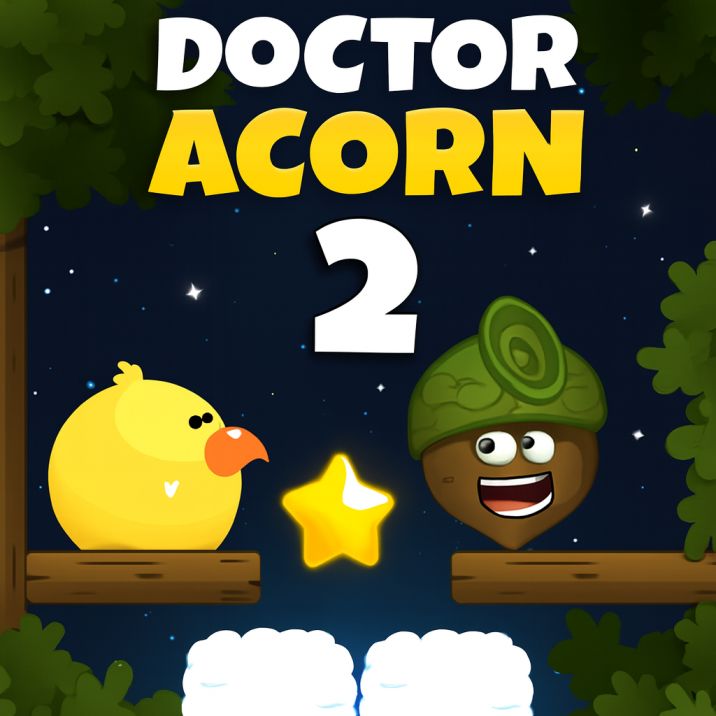
Doctor Acorn 2 is a physics-based puzzle platformer where you guide an acorn character through challenging levels using interactive elements like springs, anchors, teleporters, fans, clouds, and buttons. Manipulate objects by dragging anchors and buttons to create pathways, overcome obstacles, and reach the goal. Collect stars for perfect scores, activate checkpoints for progress, and solve increasingly complex physics puzzles. Features smooth physics simulation, touch-friendly controls, and creative level design that tests your problem-solving skills.
Genre: Puzzle
Category: Strategy
Platform: Browser
HOW TO PLAY
CONTROLS:
- Desktop:
- Mouse Click: Interact with objects, activate buttons and interactive elements
- Mouse Drag: Drag anchors, buttons, and movable interactive elements
- Mobile/Tablet:
- Touch / Tap: Interact with objects, activate buttons and interactive elements
- Touch Drag: Drag anchors, buttons, and movable elements
BASIC MECHANICS:
1. Character Control:
- Control the acorn character through levels
- Character responds to physics (gravity, collisions)
- Navigate platforms and avoid hazards
- Reach the goal to complete each level
2. Physics-Based Movement:
- Realistic physics simulation affects all objects
- Gravity pulls objects downward
- Momentum and inertia affect movement
- Collisions between objects create interactions
- Physics bodies can be static or dynamic
3. Interactive Elements - Springs:
- Springs bounce the acorn character upward
- Jump on springs to reach higher areas
- Timing matters when using springs
- Springs can launch you across gaps
4. Interactive Elements - Anchors:
- Anchors can be dragged and positioned
- Connect anchors to create ropes/chains
- Use anchors to swing or create bridges
- Drag anchors to change physics connections
- Anchors can pin objects in place
5. Interactive Elements - Buttons:
- Buttons activate mechanisms when pressed
- Some buttons open doors or gates
- Some buttons move platforms
- Can be triggered by character or objects
- Some buttons require continuous pressure
6. Interactive Elements - Teleporters:
- Teleporters transport character between locations
- Enter one teleporter to exit from another
- Useful for bypassing obstacles or accessing areas
- Teleportation creates visual effects
7. Interactive Elements - Fans:
- Fans create wind or air currents
- Use fans to push objects or character
- Fans can lift or guide movement
- Directional air flow affects physics
8. Interactive Elements - Clouds:
- Clouds provide temporary platforms or movement
- Enter clouds to activate special movement (cloudin)
- Exit clouds to return to normal (cloudout)
- Clouds may provide temporary platforms
9. Stars Collection:
- Three stars (star1, star2, star3) per level
- Collect stars for perfect score
- Stars may be hidden or require puzzle solving
- All stars must be collected for maximum score
- Star collection tracked per level
10. Checkpoints:
- Checkpoints save your progress in levels
- Reaching checkpoint updates spawn point
- Allows retry from checkpoint if you fail
- Strategic checkpoint placement helps difficult sections
11. Level Completion:
- Reach the goal/exit to complete level
- Level completion triggers end sequence
- Progress unlocks subsequent levels
- Score based on stars collected and completion time
12. Obstacles and Hazards:
- Various obstacles block progress
- Some objects can damage or reset progress
- Physics-based hazards require careful navigation
- Timing and positioning matter to avoid hazards
13. Drag and Drop Mechanics:
- Many objects can be dragged to reposition
- Anchors and buttons can be moved
- Create custom solutions by repositioning elements
- Physics updates in real-time as you drag
14. Level Structure:
- Multiple levels with increasing difficulty
- Each level presents unique puzzles
- Progressive introduction of new mechanics
- Levels designed around specific interactive elements
15. Puzzle Solving:
- Levels require solving physics puzzles
- Combine multiple interactive elements for solutions
- Trial and error may be necessary
- Creative thinking helps find optimal paths
- Some puzzles have multiple solutions
STRATEGIC TIPS:
- Plan Your Approach: Analyze the level layout before moving. Identify all interactive elements and plan how to use them together.
- Anchor Positioning: Strategically place anchors to create swings, bridges, or support structures. Experiment with different positions.
- Button Timing: Understand button mechanics before activating them. Some buttons have permanent effects, others are temporary.
- Spring Mastery: Practice spring jumps. Learn the bounce height and trajectory to reach desired locations.
- Star Priority: Identify star locations early. Plan your route to collect all stars efficiently without backtracking.
- Physics Understanding: Learn how objects interact. Heavier objects, momentum, and collision angles affect outcomes.
- Cloud Strategy: Use clouds strategically. They may provide access to otherwise unreachable areas.
- Teleporter Routes: Map out teleporter connections. Know where each teleporter leads before entering.
- Drag Precision: When dragging objects, position them carefully. Small adjustments can significantly change physics behavior.
- Checkpoint Awareness: Note checkpoint locations. Don't hesitate to use them on difficult sections.
ADVANCED TECHNIQUES:
- Chain Interactions: Create chain reactions by combining multiple interactive elements. One action can trigger multiple effects.
- Momentum Conservation: Use physics momentum to your advantage. Build up speed or use swings to reach farther distances.
- Object Stacking: Stack or arrange objects to create new platforms or paths. Creative positioning solves difficult puzzles.
- Timing Sequences: Master timing for sequences requiring multiple actions. Practice button pressing and spring jumping in order.
- Alternative Solutions: Look for multiple ways to solve puzzles. Sometimes the obvious solution isn't the only one.
- Anchor Rope Physics: Understand how anchor connections create ropes/chains. Use tension and swing mechanics effectively.
- Fan Navigation: Use fans to guide movement in precise directions. Combine with jumps for optimal trajectory.
- Star Collection Routes: Optimize paths that collect all stars while still reaching the goal. Minimize backtracking.
- Physics Manipulation: Learn to manipulate physics by dragging objects during movement. Real-time adjustments can help.
- Level Mastery: Replay levels to find optimal solutions. Faster completion and perfect scores come with practice.
WINNING AND PROGRESSION:
- Level Completion: Complete each level by reaching the goal. Progress unlocks new levels with more complex puzzles.
- Star Collection: Collect all three stars in each level for perfect scores. Star collection affects overall game completion.
- Perfect Scores: Aim for perfect scores by collecting all stars and completing levels efficiently. This is the ultimate challenge.
- Skill Development: Improve your puzzle-solving skills through practice. Complex levels require understanding all mechanics.
- Progressive Difficulty: Levels gradually introduce new mechanics and increase complexity. Master each element to advance.
- Problem-Solving: Develop creative problem-solving approaches. Some puzzles require thinking outside the box.
- Physics Mastery: Master all physics interactions including gravity, momentum, collisions, and object manipulation.
- Speed Challenges: After mastering levels, try to complete them faster. Time optimization adds replay value.
- Collection Completion: Collect all stars across all levels for full game completion. Track your star collection progress.
- Achievement Goals: Set personal goals for level completion, star collection, and score achievement. Challenge yourself continuously.
Enjoy guiding Doctor Acorn through physics-based puzzles and solving challenging platformer levels!
This is a free browser game available on MysticByte Studios. No downloads required - play instantly in your browser!